Inputs Configuration via Portal
Overview
When creating Applications and Infrastructures in the StackSpot EDP Portal, you must fill in Plugin and Action inputs. In this guide, you will find rules and additional information about configuring inputs.
General Rules
-
If there are defined Contexts, some (or all) variables will already be filled. When the variables are mandatory, you cannot change them.
-
Input values can contain only alphanumeric characters, underscores (_), and hyphens (-), according to the regex:
^[a-zA-Z0-9_-]+$. For example: nome_Input, Nome_input, NOME_INPUT, Nome-input, nome-input, N0m3-1nput. -
Alias: This field names the Plugin usage and indicates its purpose in the Application, since Plugins can be applied more than once. It is automatically prefilled, but you can edit it. To do this, click the field and edit the text. The
aliasis immutable once configured. If you want to edit this name, this is the only moment when you can do it.

- To learn more about Plugin inputs, check the Content Creators' Input Guide.
Configuring Inputs with Account Variables
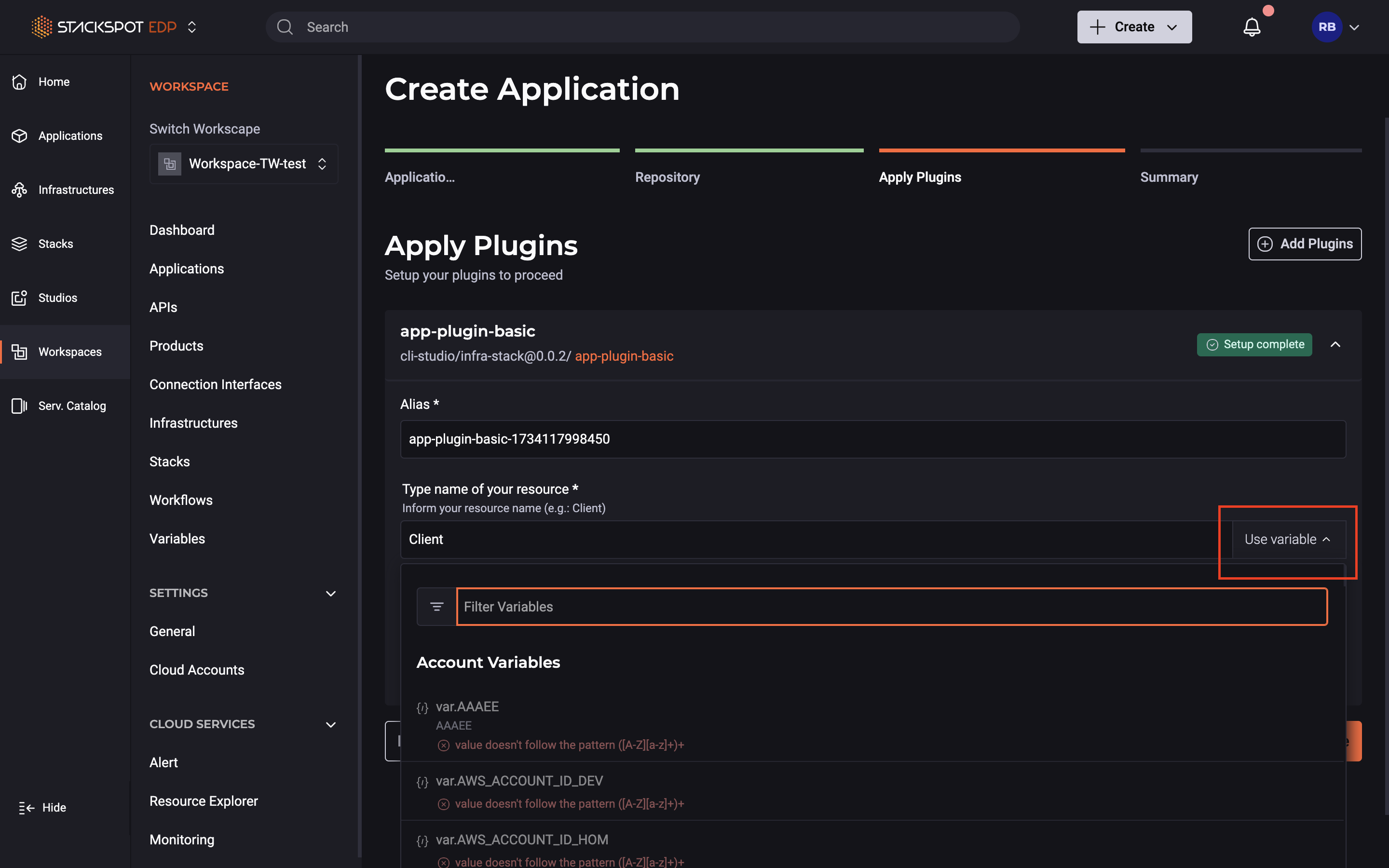
When applying a Plugin, you can choose to use Account Variables to fill text-type input values. To do this:
- Click the 'Use variable' button next to the input field;
- Select one of the available Variables that appear in the list;
- If the value is not mandatory, you can change the Variable value.
See the flow: