Como Usar o Módulo
How to use the Tech Doc Module
Prerequisites
- Connect your GitHub account to StackSpot.
- You must have maintainer or developer permissions in the repository you want to document.
- Before you start, follow the instructions below to create and configure a Personal Access Token (PAT) in GitHub and connect it to StackSpot.
1. Create a Personal Access Token (PAT) in GitHub
Follow these steps:
1. Access your organization’s GitHub;
2. Click your avatar and select 'Settings';
3. Now click on 'Developer settings';
4. Click on 'Personal access tokens' and then 'Tokens (classic)';
5. Click the 'Generate new token' > 'New token (classic)' button;
6. In 'Note', add a name for the token and set an expiration date;
7. Select the repo and workflow scopes;
8. Click 'Generate token'.
The token will only be shown once. Copy and store it in a safe place; you will use it in StackSpot.
If your organization uses SSO, click the 'Configure SSO' button to authorize the token.
2. Connect the PAT to StackSpot
1. In the StackSpot Portal, go to the 'Account' menu;
2. In 'My Profile', click the 'External Connections' button;
3. Click the 'Connect' button (or, if already connected, click 'Disconnect' and then 'Connect' again);
4. Fill in the following fields:
- GitHub Username
- Personal Token
5. Click the 'Connect' button.
How to import the repository
Step 1. In the StackSpot EDP Portal, go to the Code Shift page;
Step 2. Click Import Repository;
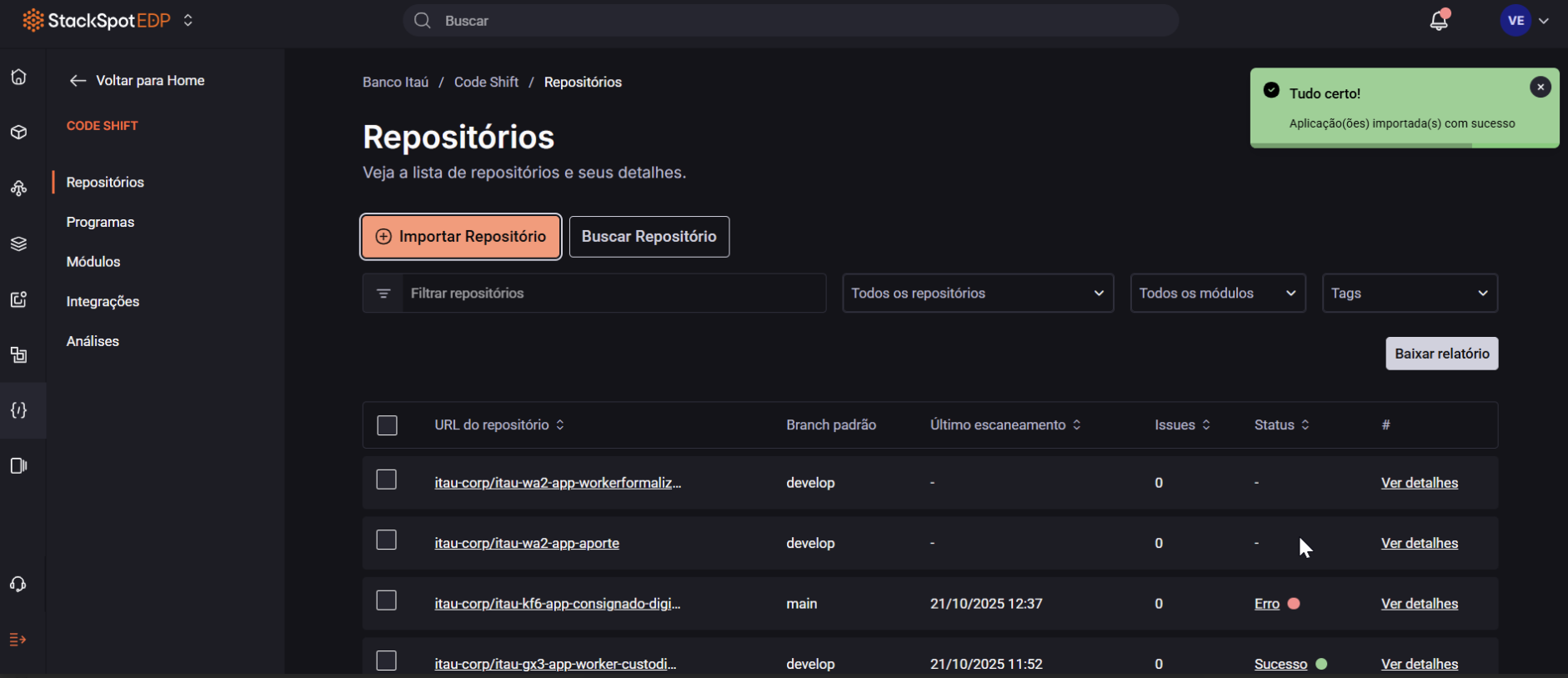
Step 3. Select the Single repository option;
Step 4. Fill in the fields:
- Select tags to associate: choose the repository’s acronym;
- Repository URL: enter your repository’s URL on GitHub;
- Default branch: base branch for the documentation;
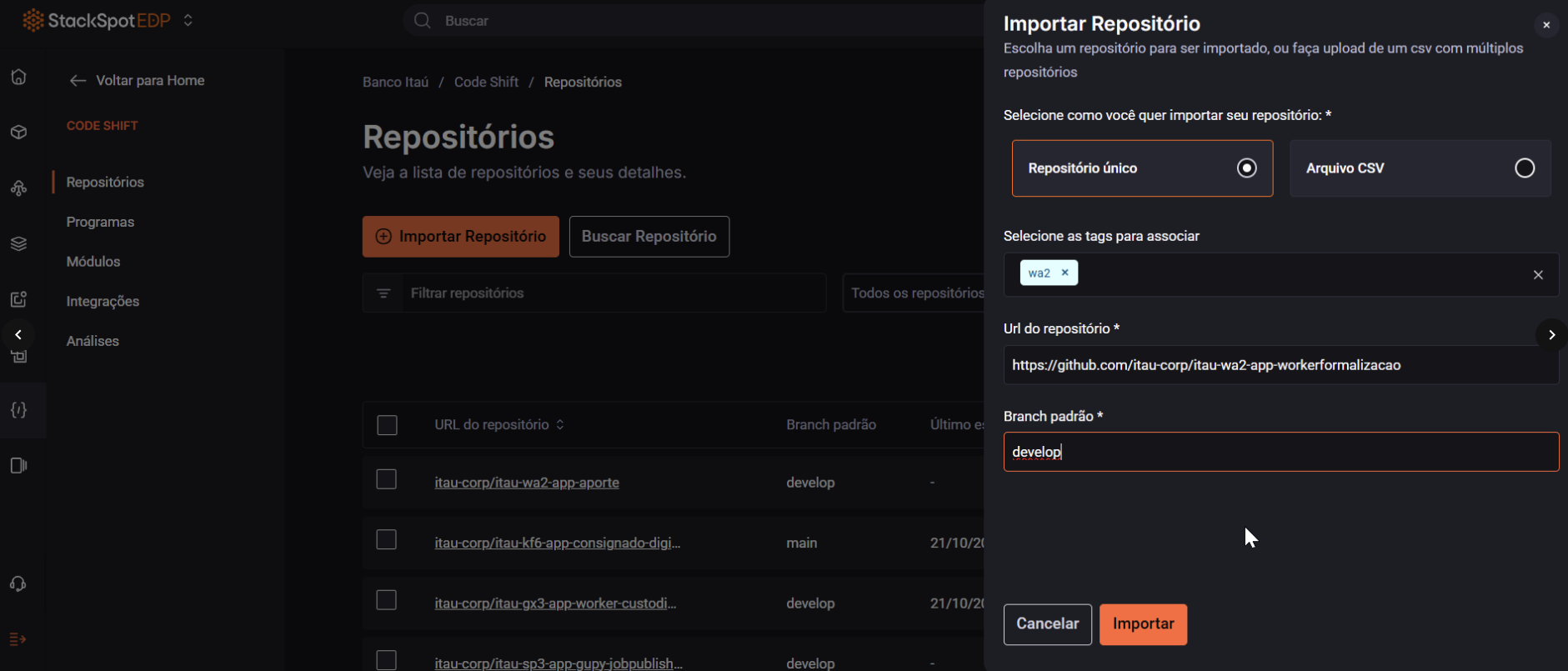
Step 5. Click Import. The repository will appear in the list;
How to run the Action
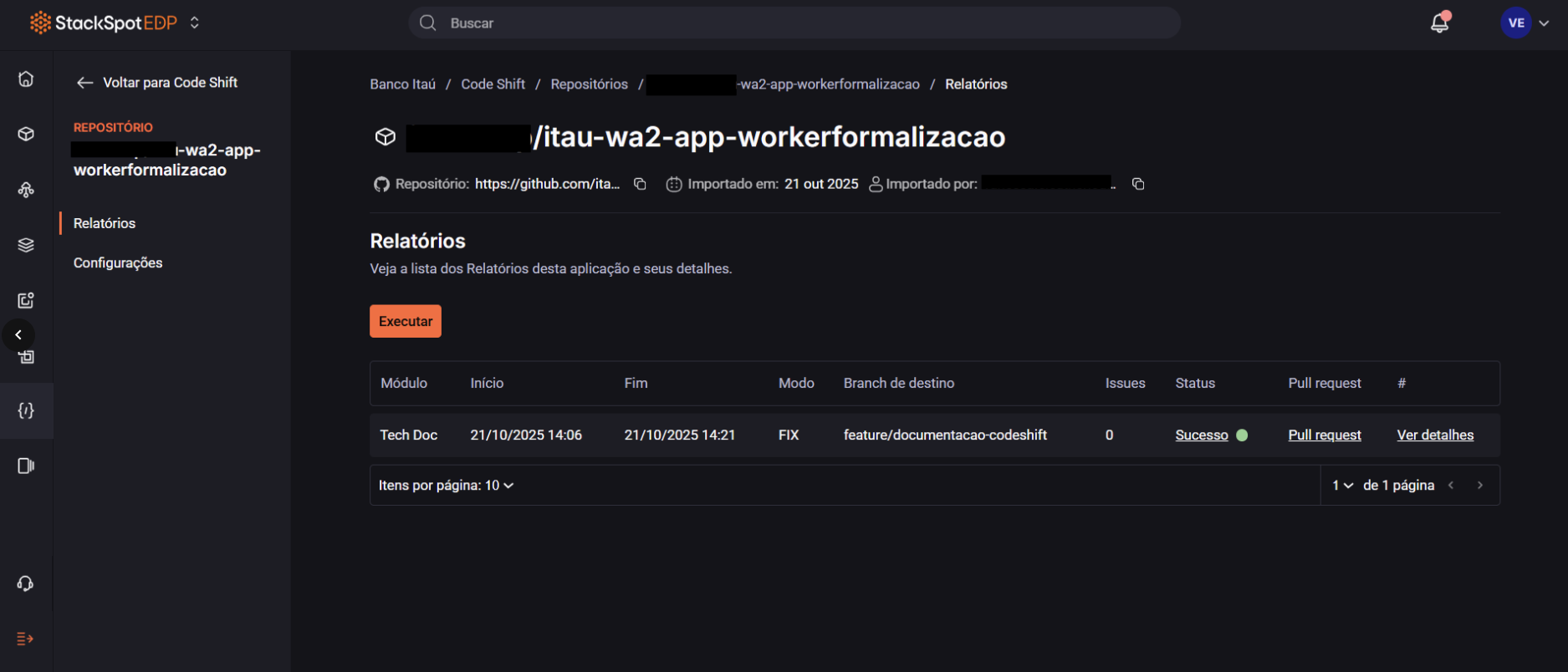
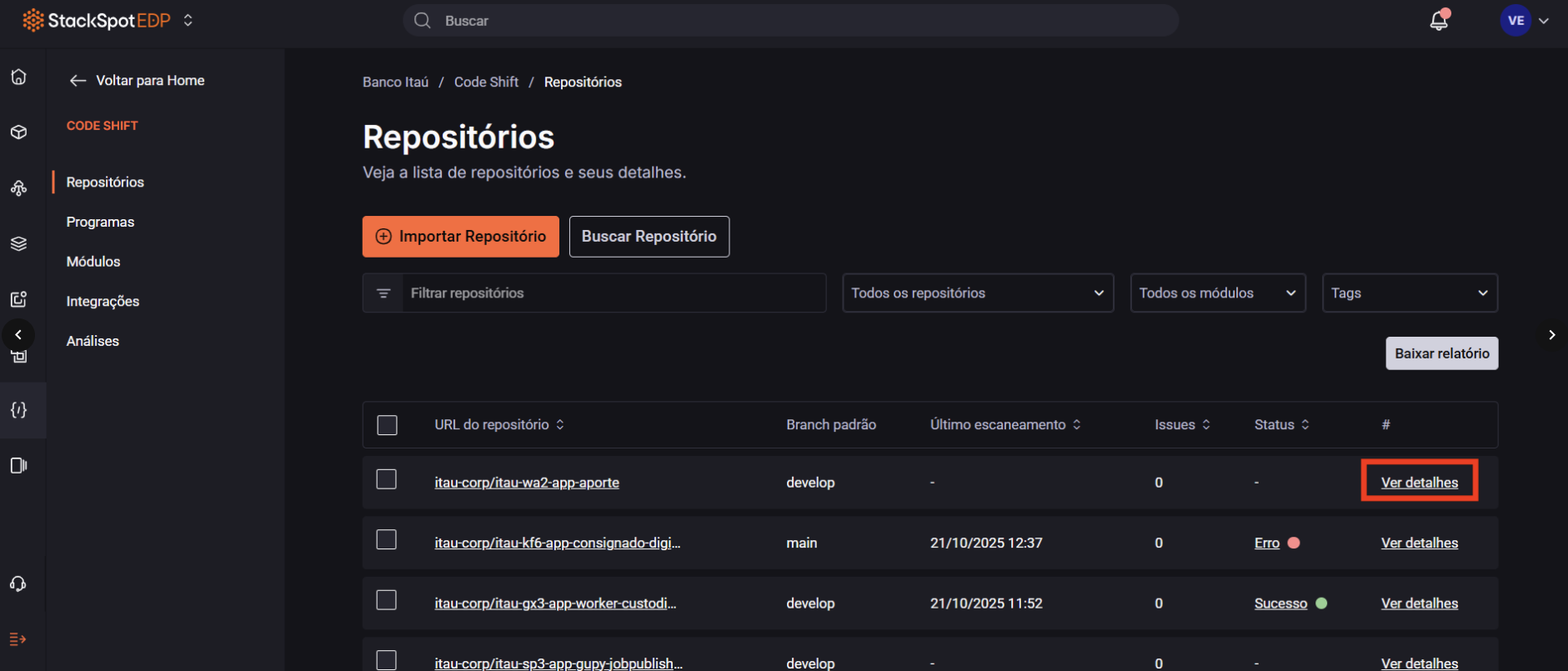
Step 1. In the repository row, click View details to open the reports page;
Step 2. Click Run and, in the Scan application window, choose the Tech Doc module;
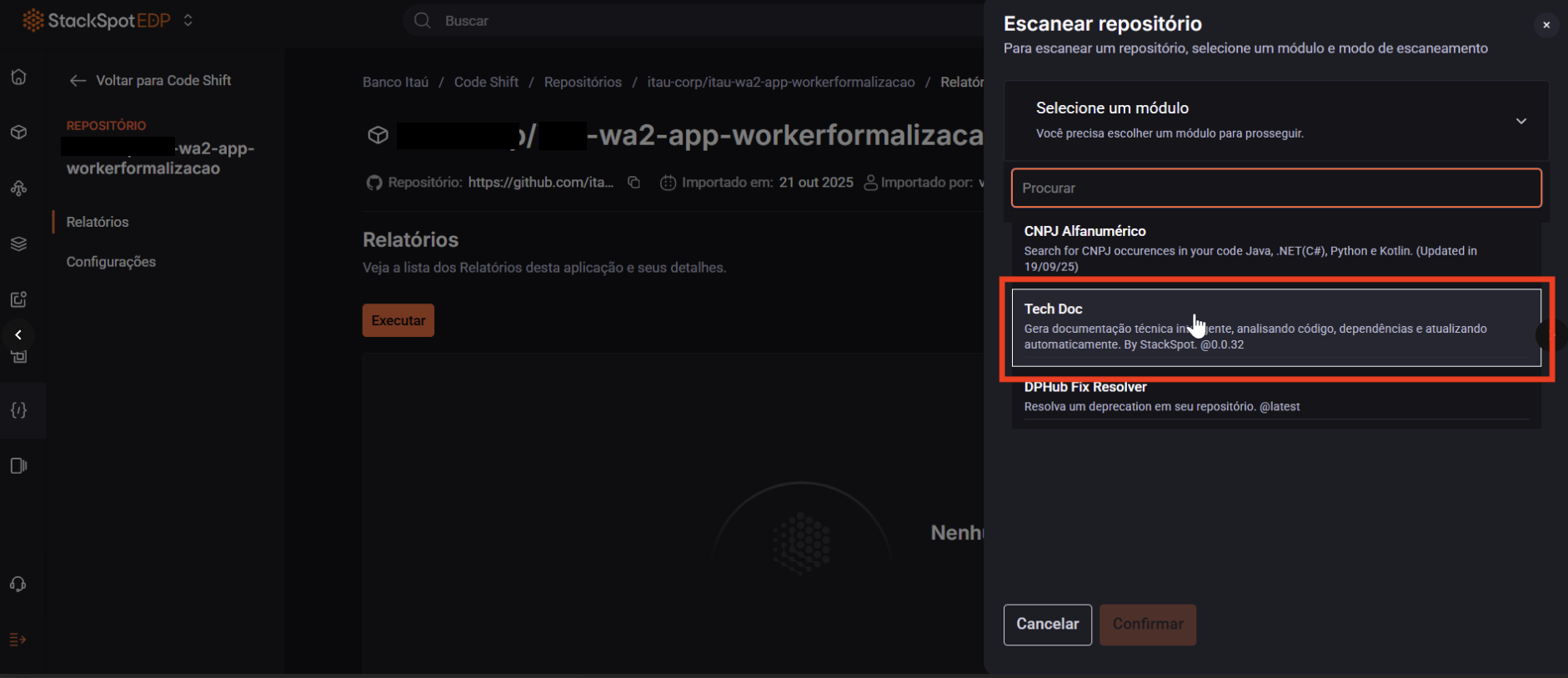
Step 3. In Select mode, choose Scan and fix;
Step 4. In Target branch, enter the name of the branch that will be created with the documentation. The recommended name is: feature/documentation-codeshift;
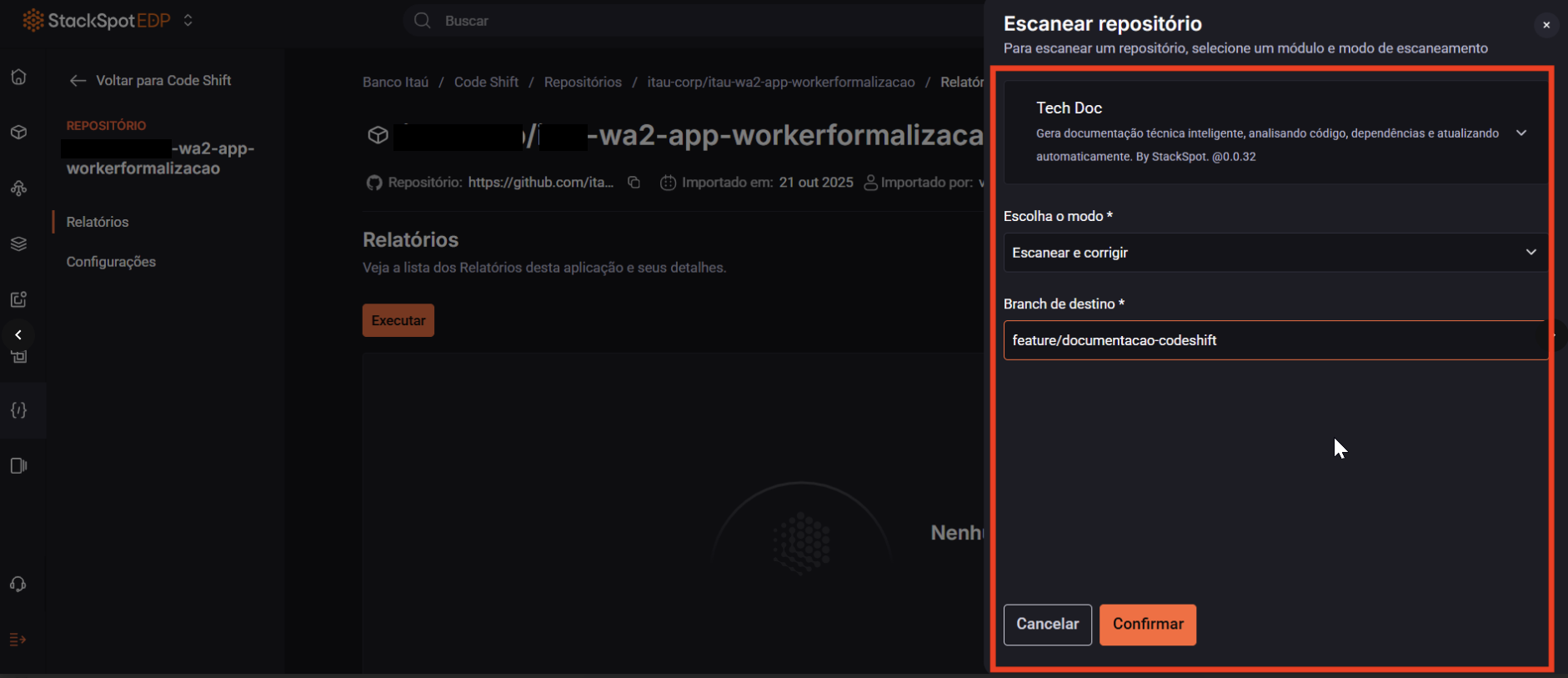
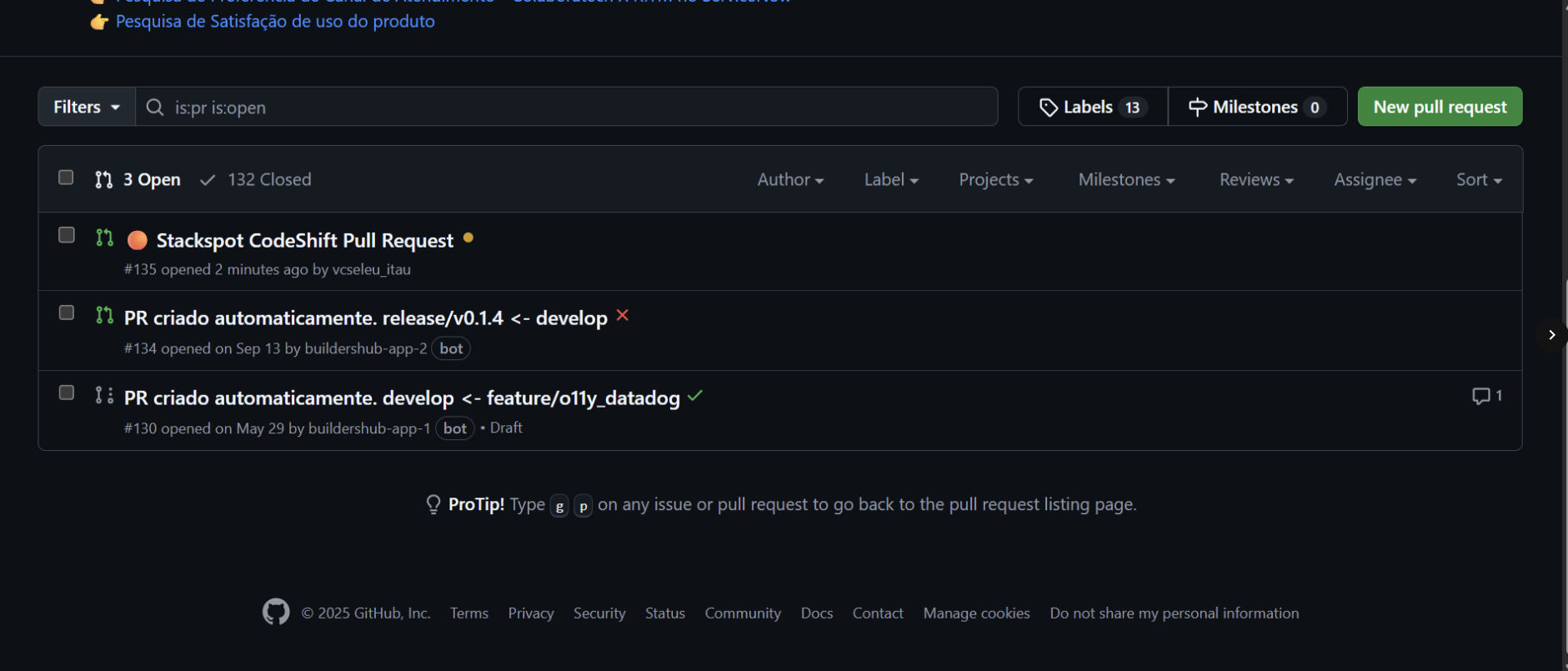
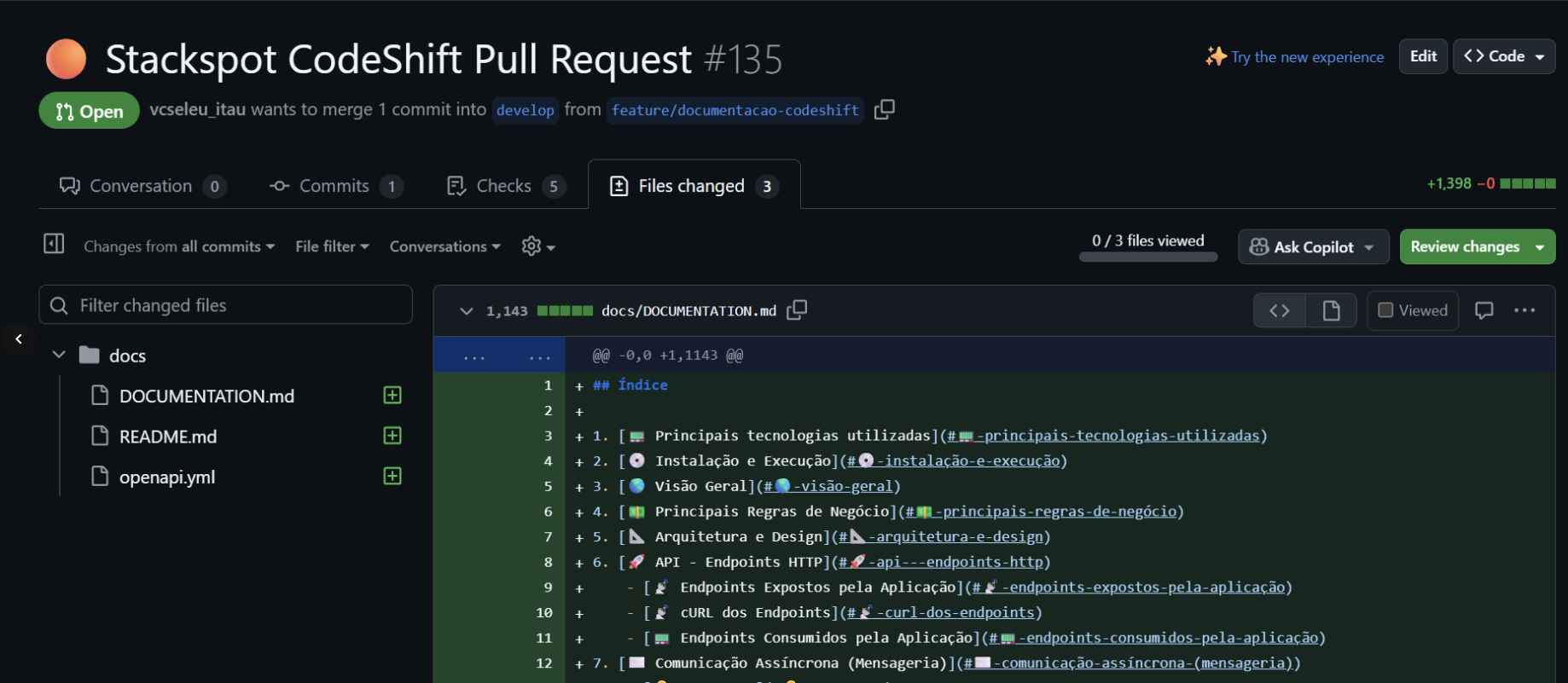
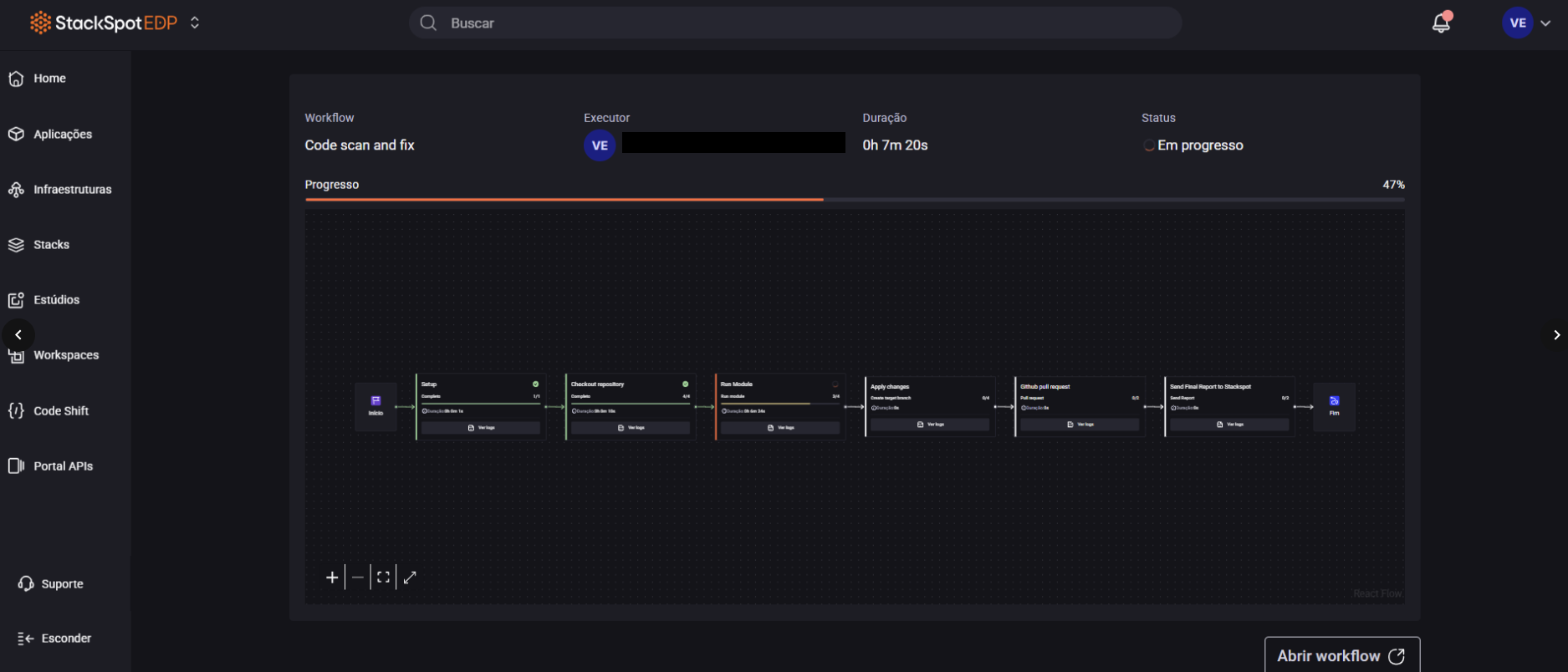
Step 5. Click Confirm. Wait for execution and check for the PR creation in GitHub;
Before merging, review the generated documentation to ensure all information is correct;