Re-run Jobs Execution
In this section, you will find the steps to retry the execution of Jobs in a StackSpot Workflow.
The steps mentioned in this guide work only for StackSpot Workflow Jobs. Other Workflows from your SCM are not affected by this feature.
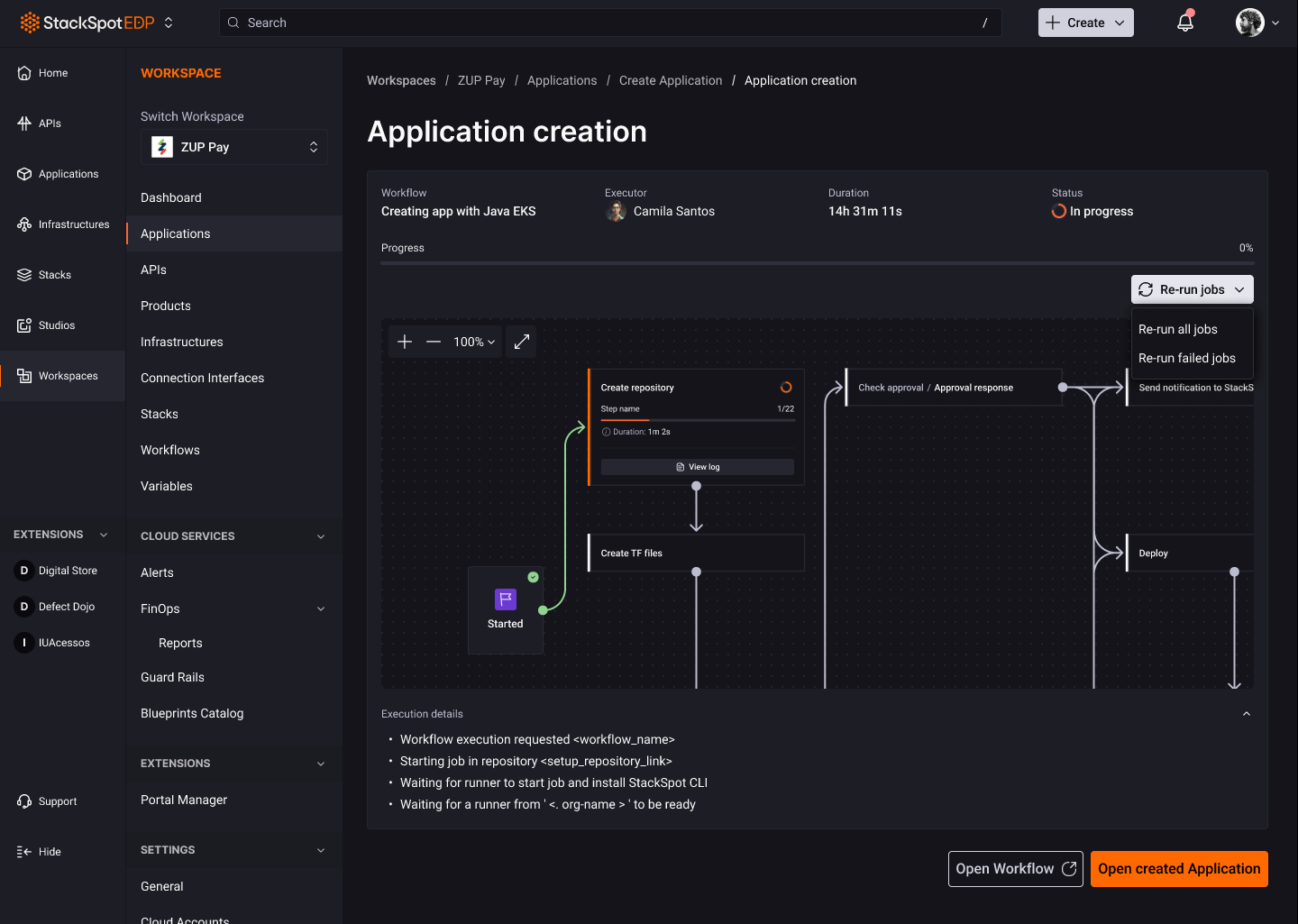
Right after executing a Workflow, whether to create an Application or perform a deployment, you will have access to the Workflow execution flow. This screen displays all Jobs, steps, and details of the Workflow execution.
Now, you can retry the execution of Jobs in the same Workflow using the Re-run jobs button.
Re-run jobs
This button provides two options for rerunning the execution of Jobs in your StackSpot Workflow:
-
Re-run all jobs: this option re-executes all Jobs in your Workflow at any time;
-
Re-run failed jobs: this option executes all failed Jobs, starting from the first failed Job. It is not possible to execute a single failed Job in isolation.
Attempts
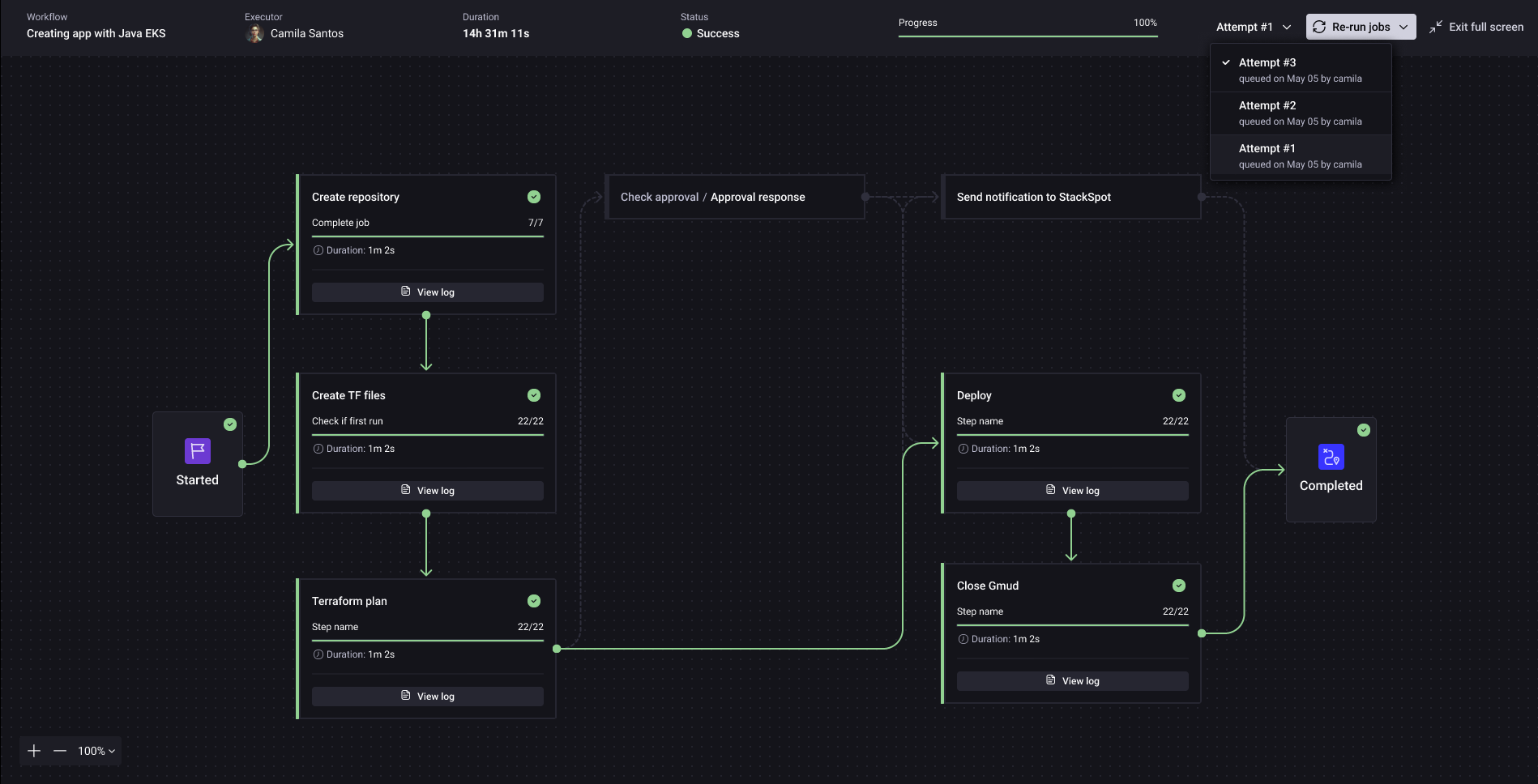
Starting from the first execution—whether for all Jobs or just the failed ones—each attempt generates a new log for Workflow execution called an Attempt.
Each Attempt contains the logs for executing Workflow Jobs and can be viewed and navigated between without interrupting the current Workflow execution.
If a Workflow has the "pending" status, it will be automatically updated to "canceled" after 72 hours.