Customize Summary
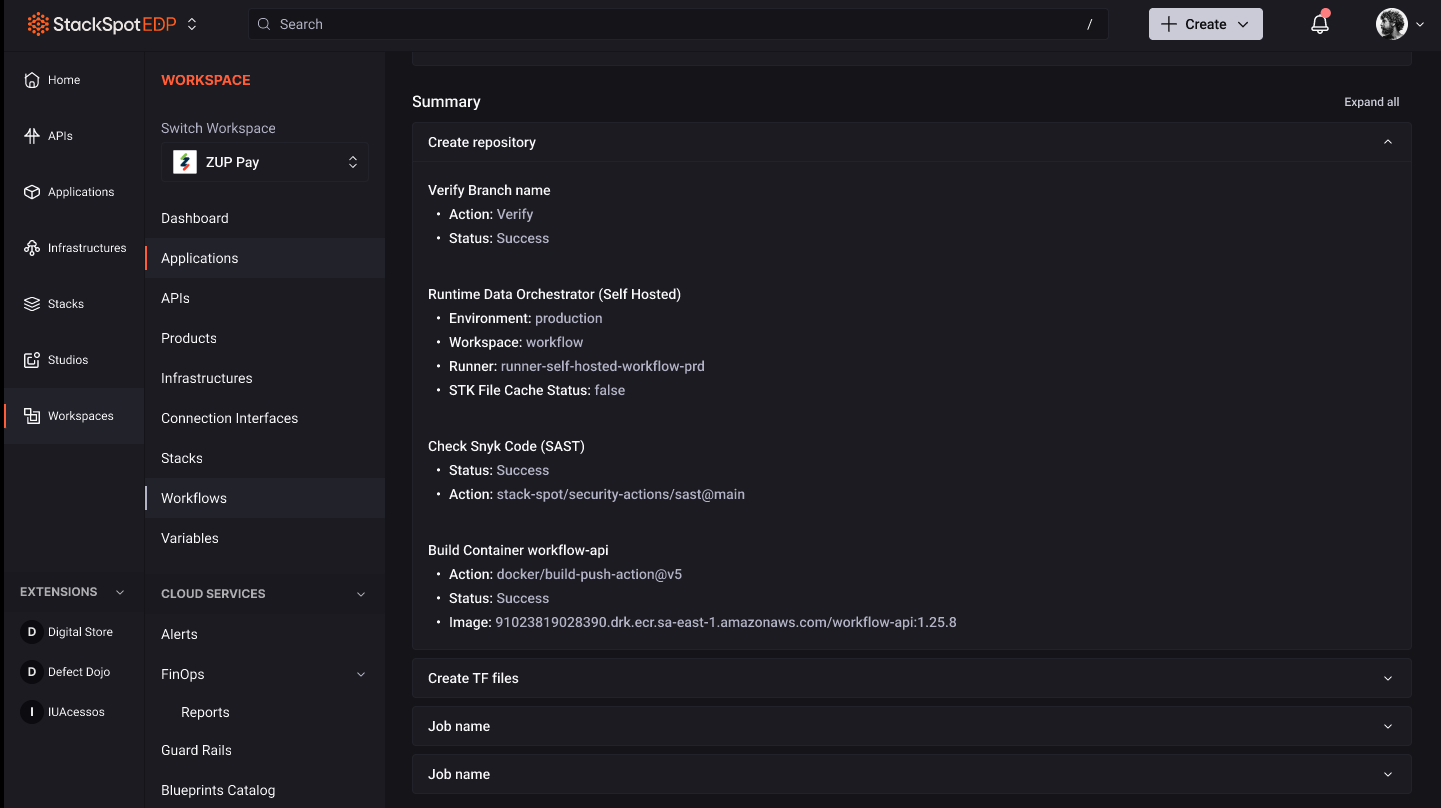
In this section, you will find the description of an Action that customizes the summary of Workflow information.
Prerequisites
- StackSpot CLI installed and up to date.
- Access to a Studio with published Workflows.
Customize a Summary
You can use an Action to customize the summary of a Workflow according to the information you want to display.
See examples of information that can be customized in the summary:
- Action
- Status
- Environment
- Workspace
- Runner
- Image
To customize the Workflow summary, run the following command:
Command to customize a summary in the Workflow
stk run action stackspot-core/stackspot-workflow-summary@1
The Action has the following required inputs:
| Input | Description | Type |
|---|---|---|
title | The title of the Workflow summary. | string |
message | The message to be included in the Workflow summary. | string |
To use the Action, the title and message inputs must be specified in the yaml.
See below an example using the Action in a Workflow:
schema-version: v1
kind: workflow
metadata:
  name: update-workflow-summary
  display-name: Update workflow Summary
  description: Updates the workflow summary for a workflow execution.
  version: 1.0.0
spec:
  type: deploy
  label: Update workflow Summary
  jobs:
    - id: update_summary
      label: Update workflow Summary
      steps:
        - id: update_summary_step
          label: Update Summary
          name: "stackspot-core/update-workflow-summary@1"
          type: action
          inputs:
            title: "workflow Completed"
            message: "The workflow was successfully completed."
See an example of a Workflow summary in the StackSpot EDP Portal.