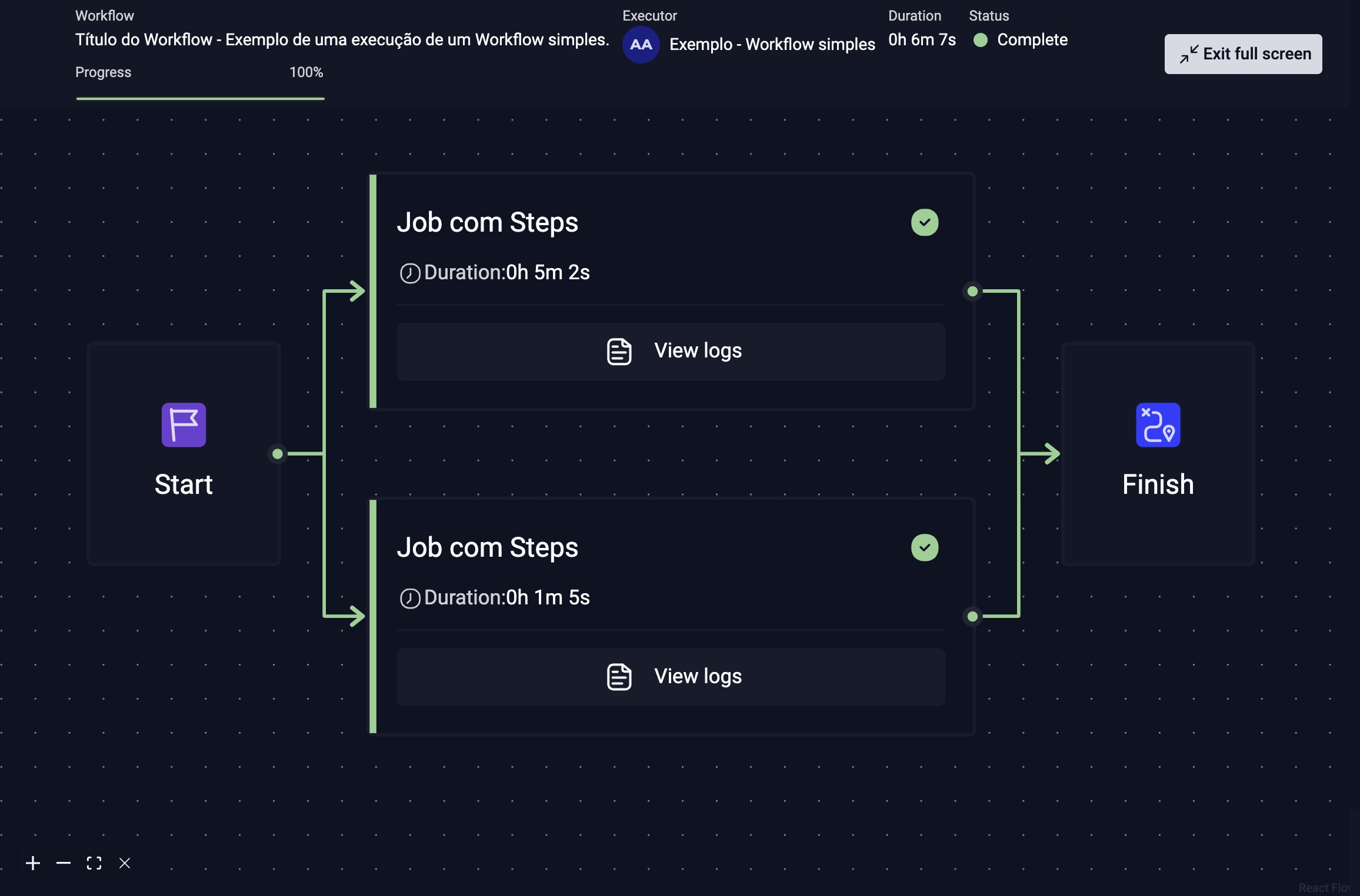
About Workflow
In this section, you will find an overview of StackSpot Workflow, including the syntax, workflow types, and their usage.
What is a Workflow?
In StackSpot, a Workflow is an automated and configurable process that runs one or more jobs (Jobs). The Jobs in a Workflow run steps (Steps), such as executing StackSpot Actions, applying Plugins, and running other Workflows to perform various tasks while creating your Application or Infrastructure.
Workflows are defined in YAML files and become available on the StackSpot Portal after publication in the Studios. A Studio can have several Workflows, each for a specific or more general use.
Benefits of StackSpot Workflow
-
Enhanced flexibility: Workflows provide a more dynamic and customizable approach for defining creation processes, overcoming the limitations of Starters, which are static. This allows you to tailor Workflows to the specific needs of each project.
-
Consistency in the ecosystem: The introduction of Workflows aligns CLI behavior with the growing importance of this feature in the StackSpot ecosystem. This ensures a more uniform and integrated user experience.
-
Logic reuse: Workflows encapsulate complex logic, making it reusable across different projects and scenarios. This reduces duplicated effort and promotes process standardization.
-
Clarity and simplicity: With Workflows, the need to define Hooks directly in Plugins is reduced. Logic previously implemented in Hooks can now be centralized in the Workflow, making Plugins simpler, more reusable, and easier to maintain.
-
Future readiness: This change positions the CLI to support more advanced use cases and to meet the ever-evolving needs of software development. Workflows are a solid foundation for future improvements and innovations.
Workflow Structure
A Workflow has a type that defines its purpose. It is composed of Jobs, which in turn are composed of Steps.
There are six available Workflow types:
- create: Workflow to create Applications or Infrastructure.
- starter: Workflow to create Applications or Infrastructure from a Starter.
- deploy: Workflow to deploy Infrastructure.
- rollback: Workflow to execute the rollback process of an Application or Infrastructure deployment.
- reusable: Workflow with generic Jobs, receives inputs and generates output data in its Steps that can be used in other Workflows.
There are five available Step types:
- plugin: It applies a Plugin.
- action: It executes an Action.
- suspend: It pauses the Workflow execution until someone approves continuation.
- run: It executes arbitrary shell commands.
- workflow: It executes another Workflow.
Learn more about Workflow types and their Steps.
Basic Workflow Functionality
The basic operation of a Workflow follows these steps:
- Run STK CLI commands to start the Workflow.
- One or more Jobs: a process is created for each Job. All processes run on the same machine/runner. Jobs are executed in parallel unless there is a dependency between them. Each Job can contain one or more Steps.
- One or more Steps: Each Step can be different. The type of Step determines whether it executes an Action, runs another Workflow, or applies a Plugin.