Add URLs for Each Environment
In this section, you will find a step-by-step guide to add and view URLs by environment in the StackSpot EDP Portal using StackSpot Workflow.
Prerequisites
- StackSpot CLI installed and up to date;
- Access to a Studio with published Workflows;
- A deployed Application;
Viewing URLs
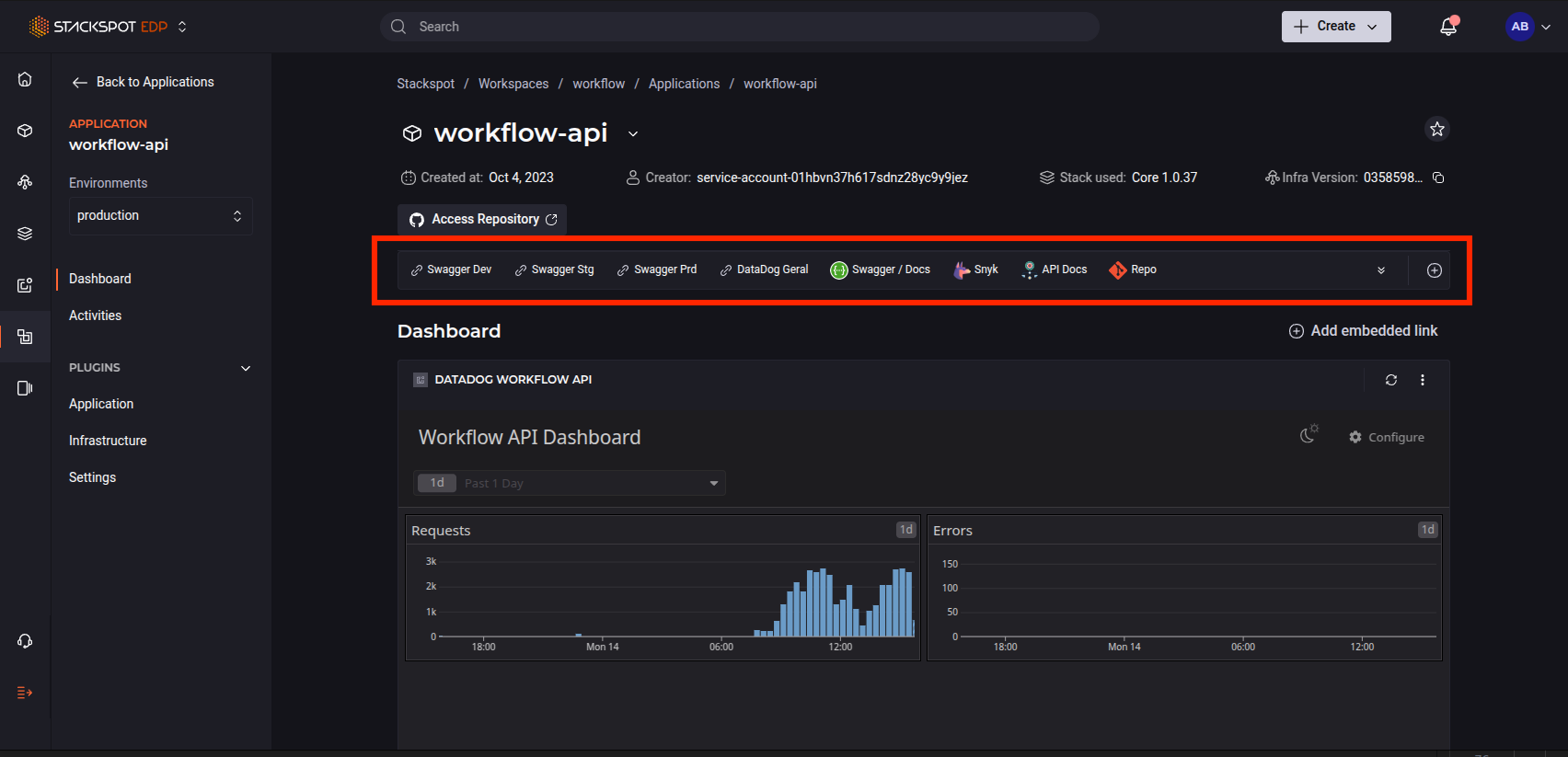
You can add and allow viewing of URLs by environment (STG, DEV, and PRD) in a deployed Application through the StackSpot EDP Portal. This is done using two Actions that add the URLs to the Application Dashboard.
See the step-by-step below:
Adding URLs to an Application
The Action that adds URLs to an Application requires the following inputs:
| Input | Description | Type | Required |
|---|---|---|---|
name | The name of the URL to be added. | string | Yes |
url | The URL to be added. | string | Yes |
To use the Action, the name and url inputs must be specified in the yaml file.
See below for an example of how to use the Action:
schema-version: v1
kind: workflow
metadata:
  name: stackspot-add-link
  display-name: Add a StackSpot Link
  description: Add a link to an Application or Infrastructure in Stackspot.
  version: 1.0.0
spec:
  type: deploy
  label: Add Link
  jobs:
    - id: add_link
      label: Add link to StackSpot
      steps:
        - id: add_link_step
          label: Add Link
          name: "stackspot-core/stackspot-add-link@1"
          type: action
          inputs:
            name: "My App link"
            url: "https://example.com/my-app"
Add URLs for each environment
To add environment-specific URLs to your Application using StackSpot Workflow, you must use the StackSpot Action stackspot-core/stackspot-add-links-by-env@1 in an action step of your Workflow.
Action Inputs:
| Input | Description | Type | Required |
|---|---|---|---|
env | The slug of the environment where you want to add the URL. | text | No |
urls | A list of repository URLs to be added. Each URL object contains a label and the URL itself. | list | Yes |
- Structure of the
urlsObject
Each item in the urls list must have the following structure:
| Field | Description | Type | Required |
|---|---|---|---|
label | A label for the repository URL. | string | Yes |
url | The repository URL. | string | Yes |
To use the Action, the required inputs must be specified in the yaml.
See below an example of how to use the Action in a Workflow:
schema-version: v1
kind: workflow
metadata:
  name: update-app-urls
  display-name: Update the App/Infra URLs
  description: Update the app repository URLs
  version: 1.0.0
spec:
  type: deploy
  label: Update the URL
  jobs:
    - id: update_url
      label: Summary of the workflow update
      steps:
        - id: update_summary_step
          label: update summary
          name: "stackspot-core/stackspot-add-links-by-env@1"
          type: action
          inputs:
            urls:
              - url: string
                label: string
-
Make sure that the provided URLs are valid and accessible.
-
The Action will prompt you to add additional repository URLs interactively if necessary.
To view the added URLs, follow the steps below:
Step 1. Access the StackSpot EDP Portal;
Step 2. Click on the Workspace where your Application was created;
Step 3. Access the Application. In its Dashboard, click the 'View App' button.
To view the URLs in another environment, click the Environments box and select the desired environment.
See an example of the 'View App' button in the Application Dashboard on the StackSpot EDP Portal.